Learn it by actually running it.
The Learning Homelab is where a lot of the projects on this site start connecting together. Instead of learning servers, networking, Linux, Home Assistant, cameras, storage, and AI as separate subjects, I’m building one real environment where they all have to work together.
The point is not to build a perfect enterprise rack in a spare room. It is to learn what each piece does, why it matters, how it talks to everything else, and what happens when something inevitably refuses to cooperate. Every upgrade, mistake, fix, and rabbit hole becomes part of the project.
One lab. A lot of systems.
The core is an open-frame server and storage build that gives me room to keep changing the hardware as the lab grows. Around that is the network itself: managed switching, a dedicated OPNsense router project, VLANs, faster wired connections, and the infrastructure needed to keep servers, cameras, smart-home gear, and everyday devices organized instead of dumping everything onto one flat network and hoping for the best.
The lab also gives me a place to work with Linux, virtual machines, local services, Home Assistant, camera integrations, local AI, and remote-management tools. The goal is for the projects to build on each other instead of ending when one video is finished.
The main systems inside The Learning Homelab.
These are separate machines and builds, but they all belong to the same Learning Homelab project. Each one can have its own detailed page without becoming a separate top-level project.
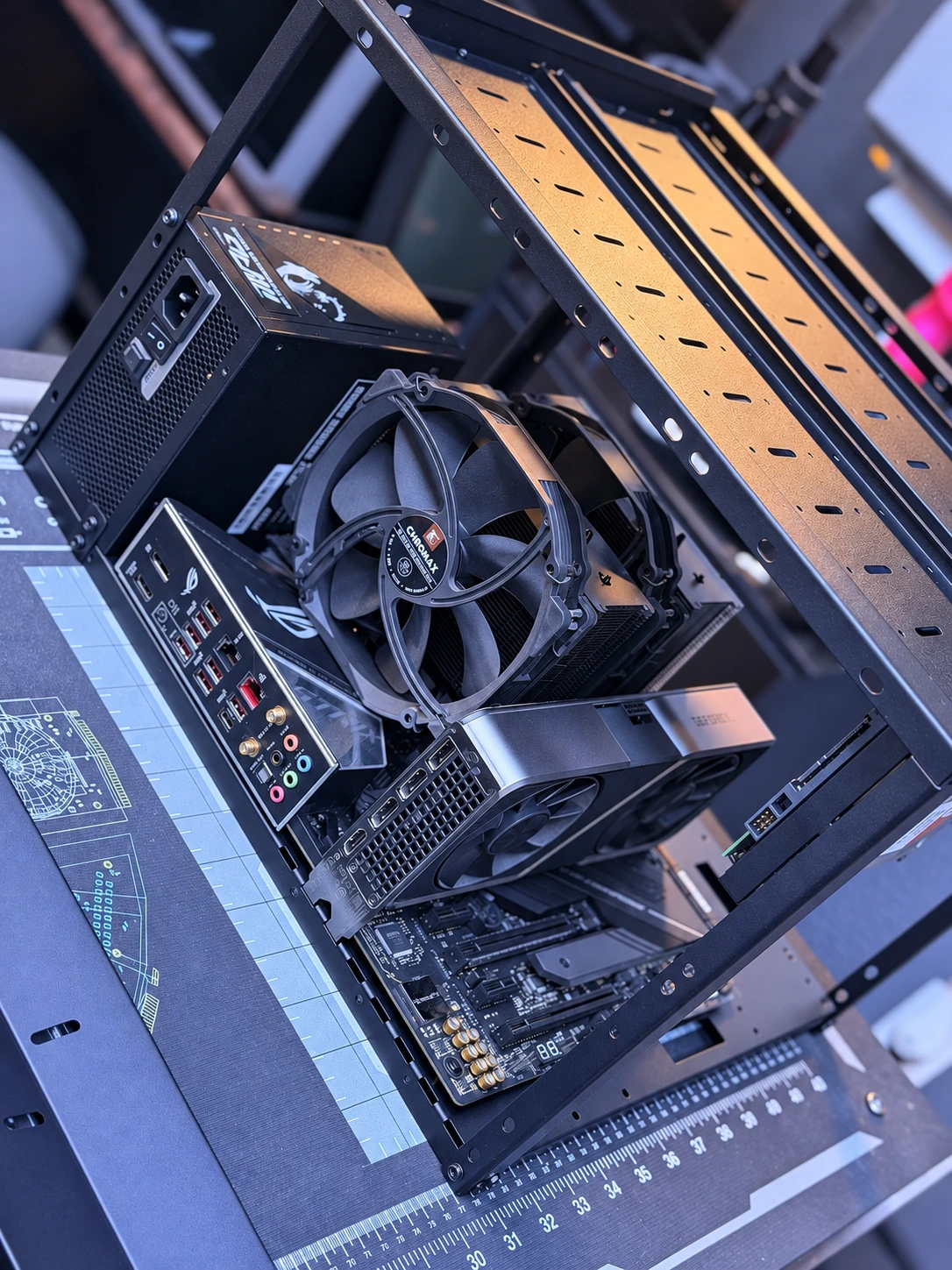
Open-Frame Server Build
The main server for The Learning Homelab, built for storage, virtualization, networking experiments, and easy hardware changes as the lab evolves.
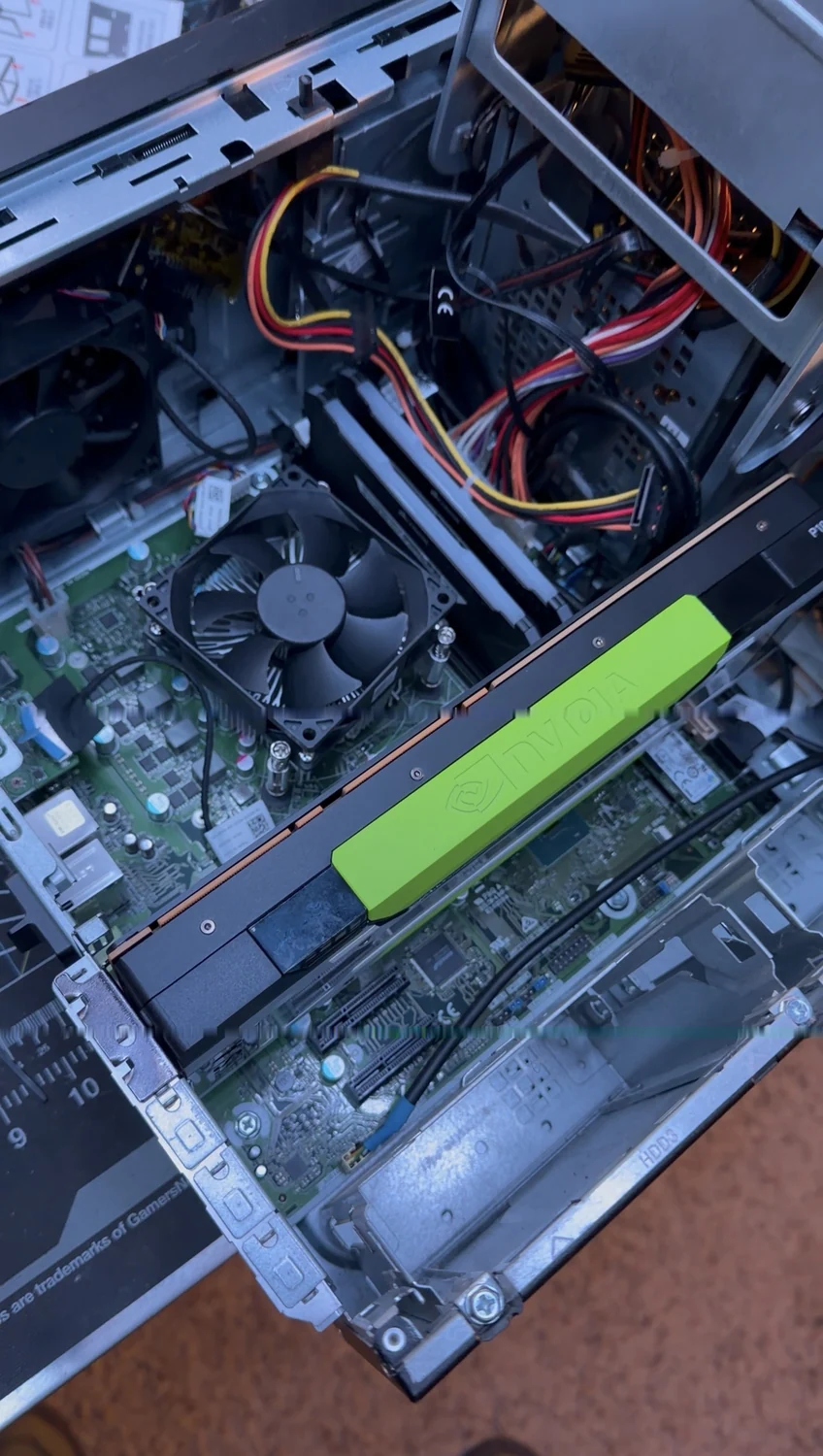
Dell Precision 3630 AI Box
The dedicated local-AI system in The Learning Homelab, built around the NVIDIA Tesla P100 16GB for local models and GPU-accelerated experiments.
Major builds inside The Learning Homelab.
The Learning Homelab is the parent project. Individual builds can still have their own detailed pages without appearing as unrelated top-level projects.
The hardware everything grows around.
The server side includes the open-frame build, an LSI 9207-8i HBA, hard-drive and SSD storage, Plex, virtual machines, and room for the setup to evolve. The ASUSTOR AS1202T has now arrived as a separate 2-bay NAS for dedicated network storage, backups, RAID testing, and learning ASUSTOR ADM alongside the main server. The Dell Precision 3630 is another separate system in the lab and is being used as the local AI box rather than the router. The open frame remains the main server and stays intentionally easy to access because this is a learning system that will keep changing.
See the Open-Frame Server Build See the ASUSTOR AS1202TMore than just plugging in Ethernet cables.
The networking side is being built around managed switches and a dedicated Dell OptiPlex 7010 SFF running OPNsense. That gives me a separate router platform for learning routing, VLANs, device isolation, PoE, faster wired networking, and how to troubleshoot the whole thing when the network decides to become the project for the evening.
The equipment mix includes managed HPE, TP-Link, and MikroTik switching, plus 10GbE hardware where it makes sense. Cameras and smart-home devices can be separated from the main network while still reaching the services they actually need.
Home Assistant becomes part of the lab.
The smart-home side is moving toward Home Assistant with Zooz Z-Wave hardware, ThirdReality sensors and voice hardware, Apollo Automation ESPHome devices, and AmeriDroid-connected camera hardware as the setup develops. That gives me a real environment for testing sensors, switches, automations, voice control, presence detection, leak detection, and device integrations instead of just reviewing each gadget by itself.
See the Home Assistant & Smart Home projectKeep the cameras useful without giving them the keys to everything.
Tapo cameras and the Reolink RLC-823S2 supplied through AmeriDroid are part of the project too. The plan is to test normal setup first, then bring them into the larger network and Home Assistant environment, including camera isolation, RTSP where available, local viewing, and eventually server-side integrations.
A place to learn AI without renting every experiment from the cloud.
The local-AI side of the lab uses a separate Dell Precision 3630 with an NVIDIA Tesla P100 16GB. The goal is to use the homelab as a place to learn what local models and GPU-accelerated workloads can realistically do on hardware I actually own, then build useful experiments around it instead of treating “AI” as a magic sticker to put on a box.
Fix the server even when the server cannot help fix itself.
A true IP KVM is also on the project list. Something in the PiKVM class would provide BIOS/UEFI-level remote access and virtual-media support, so I could troubleshoot the host, mount an ISO, or reinstall an operating system without needing a monitor and keyboard plugged directly into the machine.
The project is supposed to keep changing.
The Learning Homelab is not one finished build. It is the place where I can try an idea, break something, understand why it broke, improve it, and document the result. Servers lead into networking. Networking leads into cameras and smart home. Smart home leads into automation. The AI box creates another set of experiments. Remote management makes the whole thing easier to maintain.
That is the real point of the project: build a useful system while learning enough along the way that the next project starts a little less stupid than the last one.
Everything connected to this project
These are the product and review pages tied directly to this build.