Quick take
The xTool M2 has been phenomenal to use. The build quality feels excellent, the machine has been straightforward to work with, and xTool Studio is easy to learn and navigate. It is the kind of tool that gets out of the way and lets me focus on making the project instead of fighting the machine or the software.
What I like most
Build quality. The M2 feels solid and well put together. Nothing about it gives me the impression that it was designed as a disposable hobby machine.
Ease of use. Getting from an idea to an actual project has been refreshingly straightforward. That matters when I am bouncing between different builds and do not want every laser job to become its own troubleshooting session.
xTool Studio. The software has been easy to navigate and understand. The workflow is approachable enough for someone getting started, while still giving me room to keep experimenting as the projects get more involved.
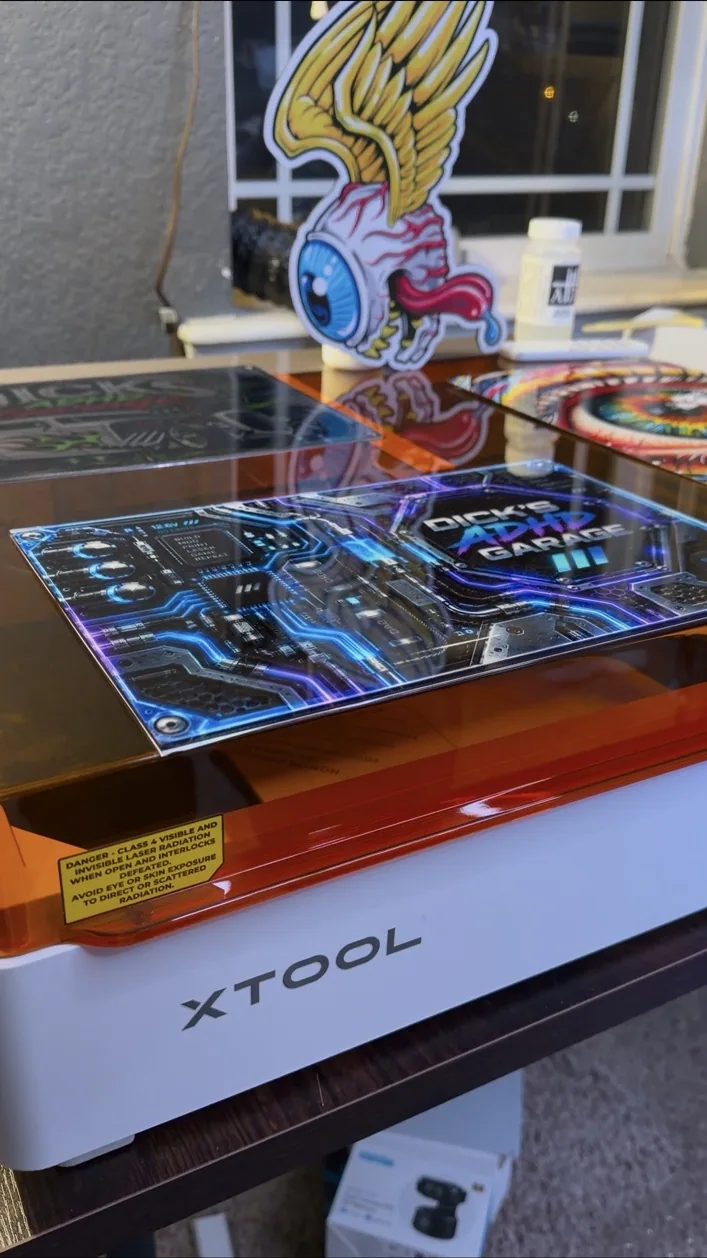
Versatility. I have been using the M2 for more than simple engraving. It has been part of custom panels, signs, acrylic work, and experiments that combine laser work with the color / inkjet side of the setup. That ability to move between different kinds of projects is one of the biggest reasons I keep reaching for it.
How I’ve been using it
The M2 has become part of the custom-panel workflow in the garage. I have used it for graphics and signs, acrylic projects, and the ongoing laser + inkjet panel experiments where I am trying to layer different processes instead of treating the laser as a one-trick machine. The goal has been to see how far I can push one setup across maker projects, custom parts, and finished pieces that actually look good enough to sell or put on display.
Who I think it is for
I think the M2 makes a lot of sense for makers who want one machine they can keep finding new uses for, but I can also see why it fits small businesses and side businesses. It is easy enough to get productive with quickly, the build quality inspires confidence, and the software does not make every job feel like a CAD exam. If you are making custom signs, panels, personalized pieces, prototypes, or small-run products, that combination matters.
Bottom line
The biggest compliment I can give the xTool M2 is that I actually want to keep using it. It has been easy to work with, feels extremely well built, and has enough flexibility that I am still finding new projects for it. For makers and small business owners who want a capable machine without turning every project into a software battle, it has been a genuinely strong fit.
Watch it in action
How I print on metal with the xTool M2Affiliate link. I may earn a commission from qualifying purchases at no extra cost to you.